m0x logoM0X
Introducing m0x ide

Write code at the
speed of thought.

An intelligent editor that understands your codebase. Predicts edits, debugs errors, and builds features with you.

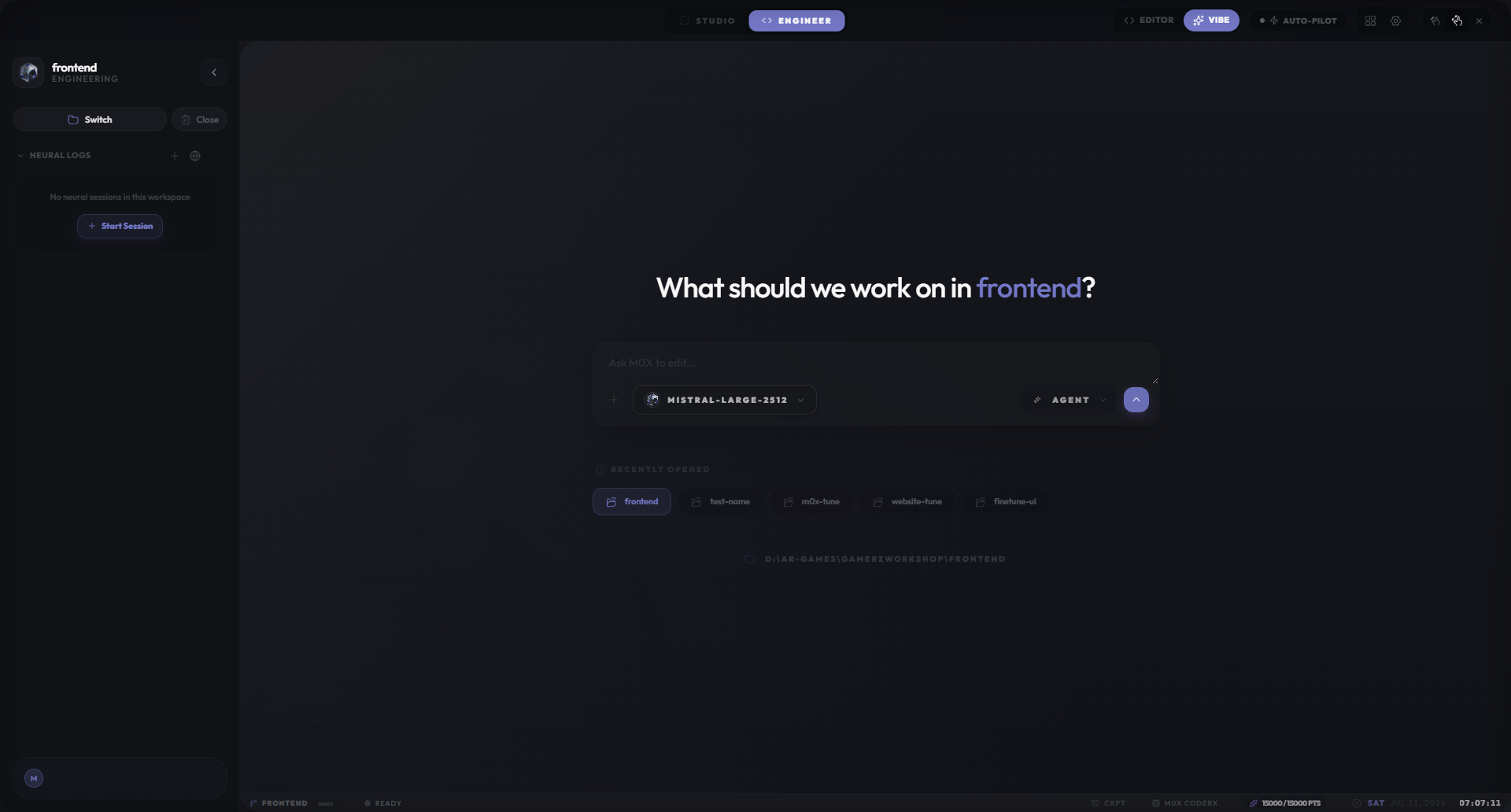
Dashboard Preview

Trusted by engineering teams at

Acme Inc
Quantum
Echo
Nebula
Cyberdyne
Tessier
Acme Inc
Quantum
Echo
Nebula
Cyberdyne
Tessier
Acme Inc
Quantum
Echo
Nebula
Cyberdyne
Tessier

Core AI Capabilities

Embedded intelligence in every part of your workflow.

Ctrl+L

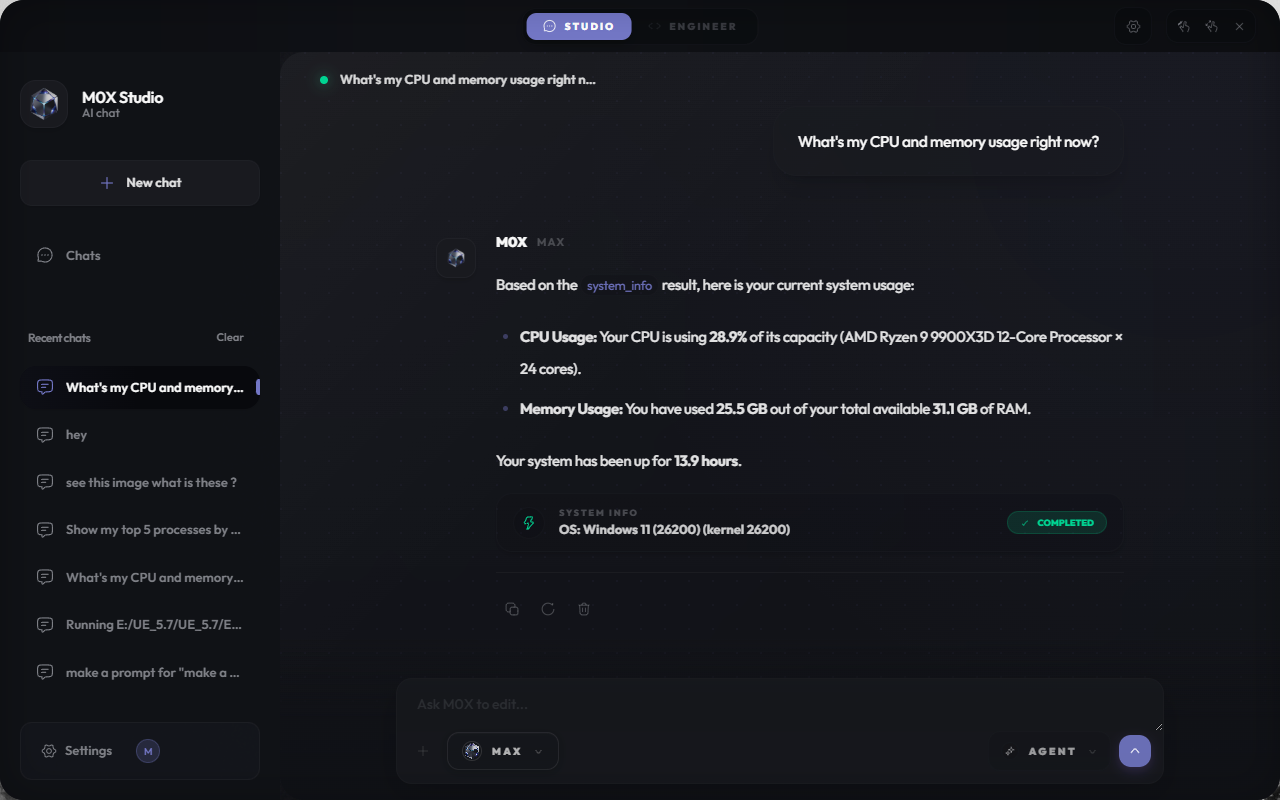
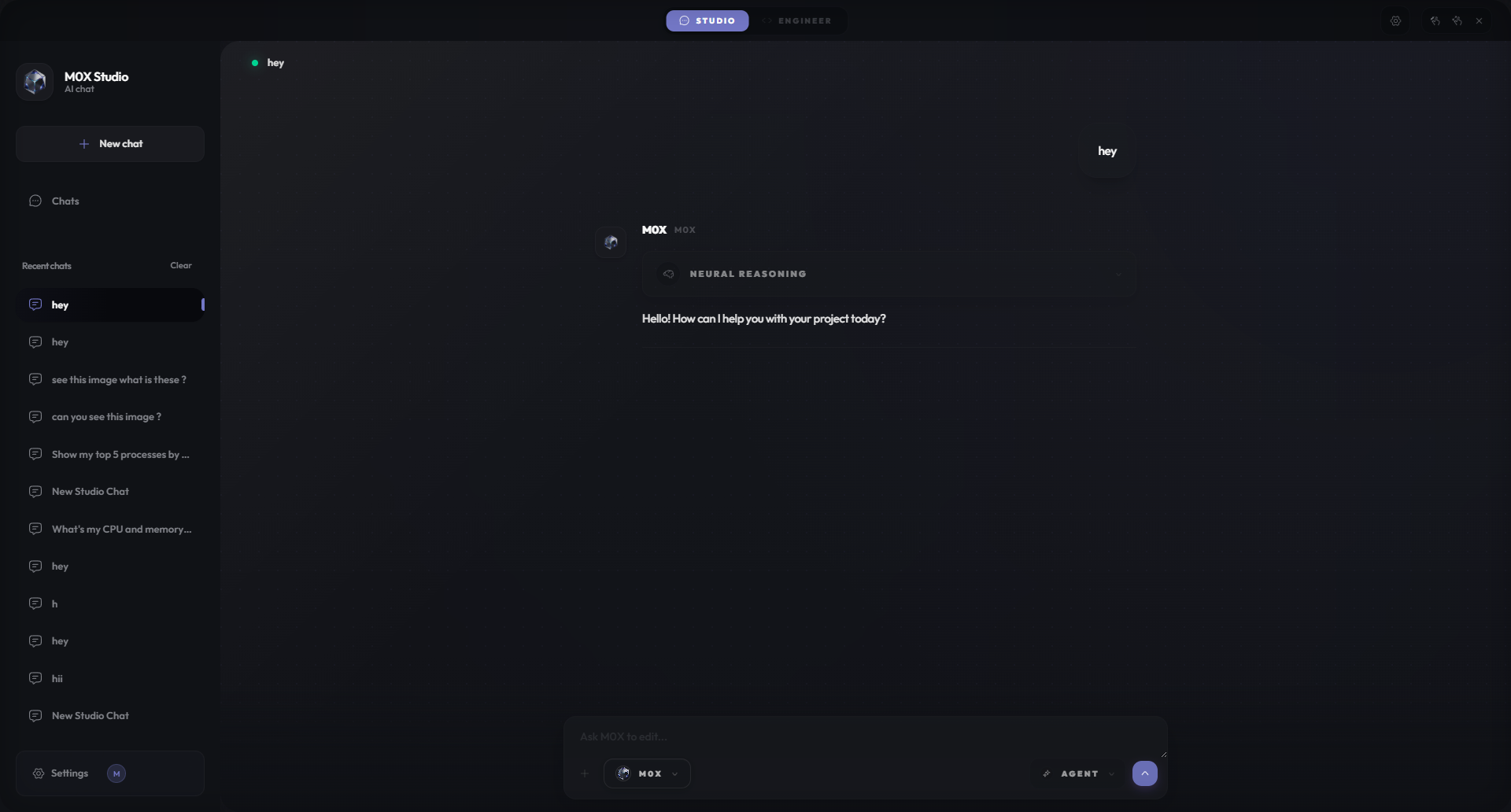
Intelligent Chat

Context-aware AI that knows your files, folders, and terminal output. Switch between Claude 3.5 Sonnet, GPT-4o, and local models.

  • Add Selection to Chat
  • Thread History
  • Multi-Model Support
Ctrl+K

Quick Edit

Inline editing to refactor, fix, or explain code. View clean diffs before accepting changes.

  • Inline Refactoring
  • Fast Apply
  • Auto-Accept
Ghost Text

Autocomplete

Context-aware code completion using FIM (Fill-In-the-Middle) capability. Optimized for low latency.

  • Smart Filtering
  • FIM Support
  • Low Latency
Auto

AI Commit Messages

Automatically generates descriptive commit messages based on your staged changes directly in source control.

  • SCM Integration
  • Smart Generation
  • One-Click Commit

Agentic Tools & MCP

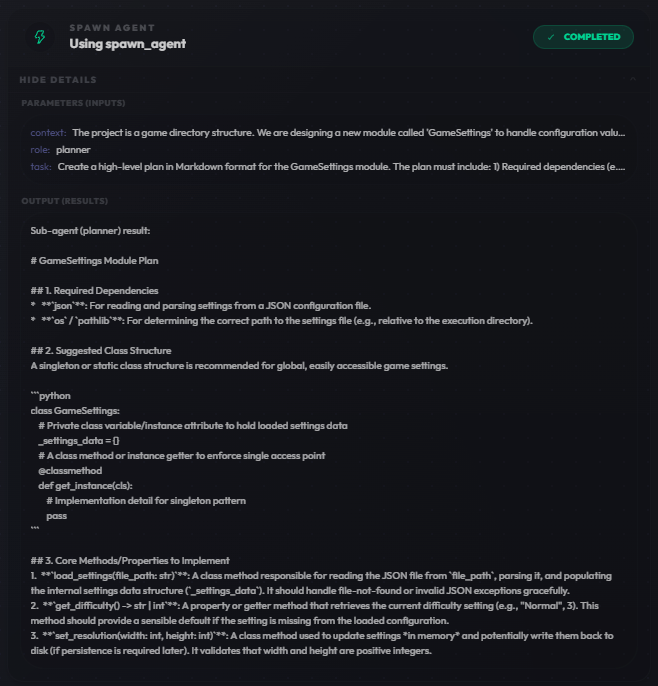
M0X gives the AI agency to perform tasks on your behalf. From file operations to connecting external data sources via Model Context Protocol.

Built-in Tools

File operations (create, edit, delete), terminal integration, and lint error awareness allow the AI to self-correct.

Model Context Protocol

Standardized way to connect external tools and data. manage MCP servers directly in settings.

Safe & Secure

Granular permissions. Auto-approve read-only tools while requiring approval for modifications.

m0x-terminal
npm run test
Running tests...
✖ Failed: 1 test
  src/utils.test.ts:42 - Expected "true" to be "false"
AI Agent

I see the test failure. It looks like a logic error in `utils.ts`. I'll read the file and fix it.

Running tool: read_file...
@src/api/auth.ts@docs/README.md
User:explain how the auth flow works based on@auth
Context
auth/src/modules/auth
Folder
auth-provider.ts/src/modules/auth
File

Seamless Context Management

Stop copy-pasting. M0X allows you to reference your entire codebase effortlessly.

@ Mentions

Reference specific files, folders, or docs in your chat to give the AI precise context.

Explorer Integration

Right-click any file or folder and select "M0X: Copy Prompt" to generate context-rich prompts instantly.

What You'll
Unlock
with m0x

Experience a completely new way of building software, from first line of code to production.

[00]

From Idea to Launch: AI Integrated Into the Entire Development Lifecycle

Build a financial analytics dashboard

m0x understands your vision, plans the development workflow, utilizes the right tools, executes with precision and deploys production-ready code.

[01]

Ship Autonomously with m0x SOLO

User
Design a modern portfolio page
SOLO Coder
Let's start by creating a React native application.
~/Desktop/usercase4
npx create-react-app react-todolist
./app/HomeScreen.tsx
+195 -0

SOLO is our most advanced coding agent. It is truly responsive to your ideas, your context, and your workflow. Delegate tasks and watch it ship complete solutions.

[02]

Seamless Switch Between IDE and SOLO

SOLO
IDE

We give you granular control over how you work with AI. IDE mode brings agentic capabilities into your traditional workflow. SOLO mode unleashes a fully autonomous agent.

[03]

Multi Agents for Better Problem-Solving

front-end-dev
back-end-dev
qa-engineer

Built-in agents with expertise out of the box. Customize agents to handle specific tasks. Agents can plan, execute, and act as sub-agents.

Shortcuts & Keybindings

Master M0X with these power-user shortcuts.

Core Commands

Quick Edit
CtrlK
Add to Chat
CtrlL
Open Sidebar
CtrlShiftL

Diff Management

Accept Diff
CtrlAltShiftEnter
Reject Diff
CtrlAltShiftBackspace
Next Diff
CtrlAltShiftDown
Prev Diff
CtrlAltShiftUp

Bulk Actions

Accept All (File)
AltShiftEnter
Reject All (File)
AltShiftBackspace
Accept All (Global)
CtrlShiftEnter

Uncompromising Customization

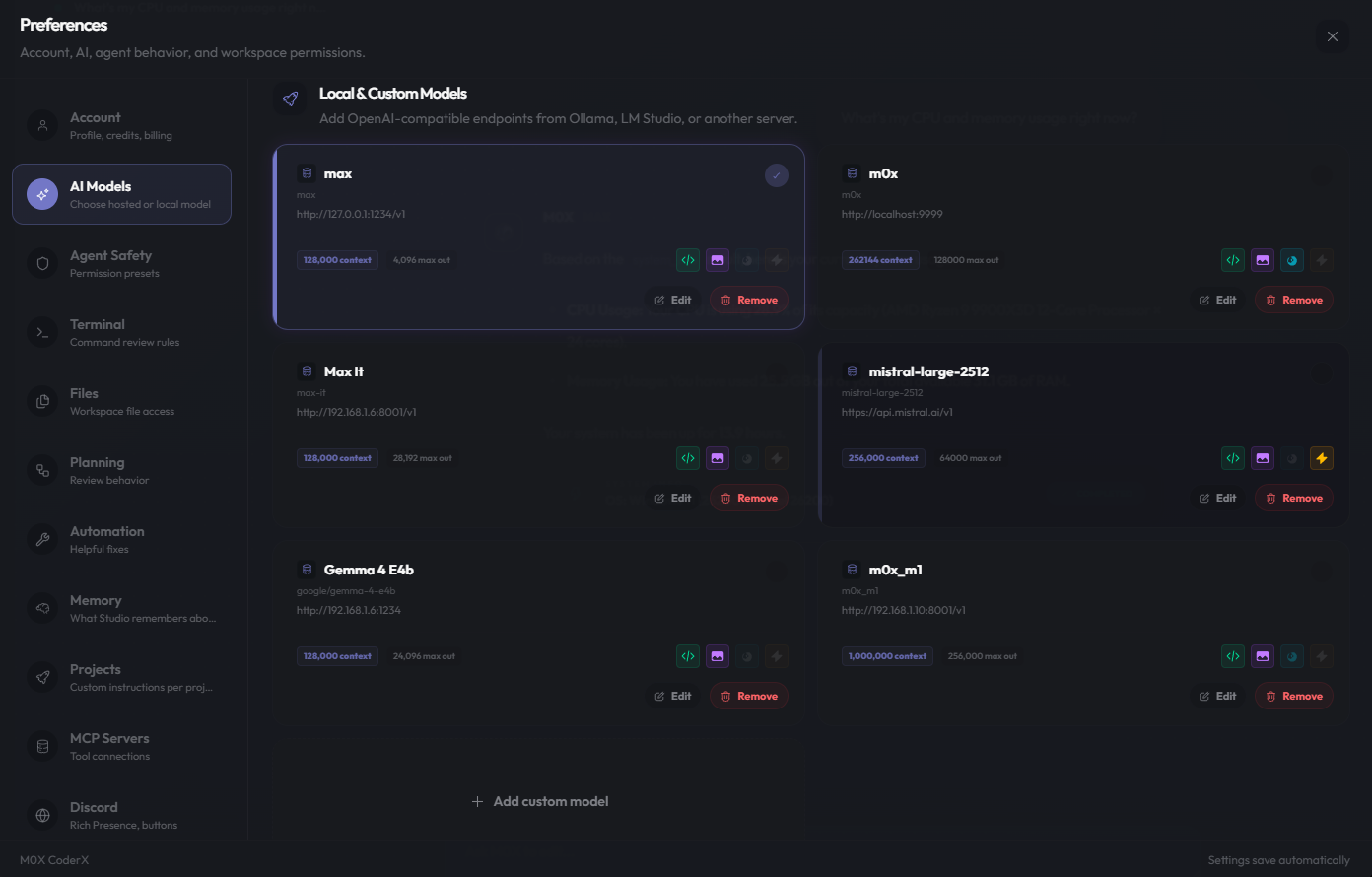
Your editor, your rules. Switch models instanty, fine-tune context, and control your data.

Model Freedom

  • Cloud: OpenAI, Anthropic, Gemini, Groq, Mistral, xAI.
  • Local: Native support for Ollama and LMstudio.
  • Custom: Any OpenAI-compatible endpoint.

Granular Control

  • Overrides: JSON config for context window & max tokens.
  • Sync: Unified model settings across Chat and SCM.
  • Instructions: Set global "Custom Instructions" for all interactions.

Privacy First

Enterprise-grade privacy settings to ensure your code stays yours.

Privacy Mode

Privacy and Security

m0x prioritizes protecting users' privacy and data security, adhering to the principle of "local-first" and "minimal data collection".

Data Privacy Protection

Codebase files are stored locally. For indexing, files may be temporarily uploaded for embedding. After processing, all plaintext is deleted. You can also use tools like Privacy Mode and the "ignore" function to limit how your data is used.

Secure Data Access

Strict access control and encrypted transmission are enforced to prevent unauthorized access and reduce exposure to security risks.

Regional Deployment

User data and infrastructure are deployed based on account location, stored in the United States, Singapore, and Malaysia, with isolation in place to meet local data regulations.

Trusted by Developers

Join thousands of engineers who are shipping faster with m0x.

"m0x has completely replaced VS Code for me. The AI integration feels native, not like a bolt-on plugin. It actually understands my entire repo context."

A
Alex Chen
Senior Engineer at TechFlow

"The SOLO mode is terrifyingly good. I built an entire landing page backend in 20 minutes just by prompting. It's like having a senior dev pair programming with you."

S
Sarah Miller
Indie Hacker

"Finally, an editor that respects privacy. Local-first indexing means I can work on proprietary code without worrying about data leaks. Game changer."

D
David Park
Full Stack Dev

"The animations and UI are just beautiful. It makes coding feel premium again. Plus, the seamless switch between agent and manual coding is intuitive."

E
Emily Zhang
Frontend Lead

"We moved our entire team to m0x. The multi-agent capabilities for debugging complex system issues have saved us hundreds of hours this month."

J
James Wilson
CTO at StartupX

"I love the clean aesthetic. It focuses you on the code. But when you need help, the AI is right there with context-aware suggestions that actually compile."

M
Michael Torres
Open Source Maintainer

"m0x has completely replaced VS Code for me. The AI integration feels native, not like a bolt-on plugin. It actually understands my entire repo context."

A
Alex Chen
Senior Engineer at TechFlow

"The SOLO mode is terrifyingly good. I built an entire landing page backend in 20 minutes just by prompting. It's like having a senior dev pair programming with you."

S
Sarah Miller
Indie Hacker

"Finally, an editor that respects privacy. Local-first indexing means I can work on proprietary code without worrying about data leaks. Game changer."

D
David Park
Full Stack Dev

"The animations and UI are just beautiful. It makes coding feel premium again. Plus, the seamless switch between agent and manual coding is intuitive."

E
Emily Zhang
Frontend Lead

"We moved our entire team to m0x. The multi-agent capabilities for debugging complex system issues have saved us hundreds of hours this month."

J
James Wilson
CTO at StartupX

"I love the clean aesthetic. It focuses you on the code. But when you need help, the AI is right there with context-aware suggestions that actually compile."

M
Michael Torres
Open Source Maintainer

Frequently Asked Questions

Yes! m0x is built on top of the open-source industry standard, so it supports the vast majority of VS Code extensions right out of the box. You can import your settings and extensions with one click.